The CSV format lets you export the data in a spreadsheet and use it on other platforms.
Before saving the file, check that:
- the first row contains the column names;
- each piece of information is in the correct column;
- there are no merged cells;
- the sheet you want to export is the one that's open or selected;
- if you have a plus-one column (the one you'll match to Plus one when importing), each cell is either empty or a whole number such as 0, 1 or 2. An empty cell counts as 0. Values like "yes", "1.5", "-1" or "two" are flagged in the Review data step of the import with the message "Plus one must be a whole number of 0 or more", and you'll need to correct them before you can import.
From an Excel file
-
Open the file with Microsoft Excel.
-
If the file contains multiple sheets, select the sheet you want to save.
-
Click File.
-
Select Save As.
-
Choose the folder where you want to save the file.
-
In the file format menu, select: CSV UTF-8 (Comma delimited) (.csv).
-
Enter the file name.
-
Click Save.
-
Excel may warn you that:
- only the currently selected sheet will be saved;
- some features or formatting are not compatible with the CSV format.
-
Confirm by clicking OK, Yes, or Continue.
The CSV file will be saved in the selected folder.
From a Google Sheets file
- Open the file in Google Sheets.
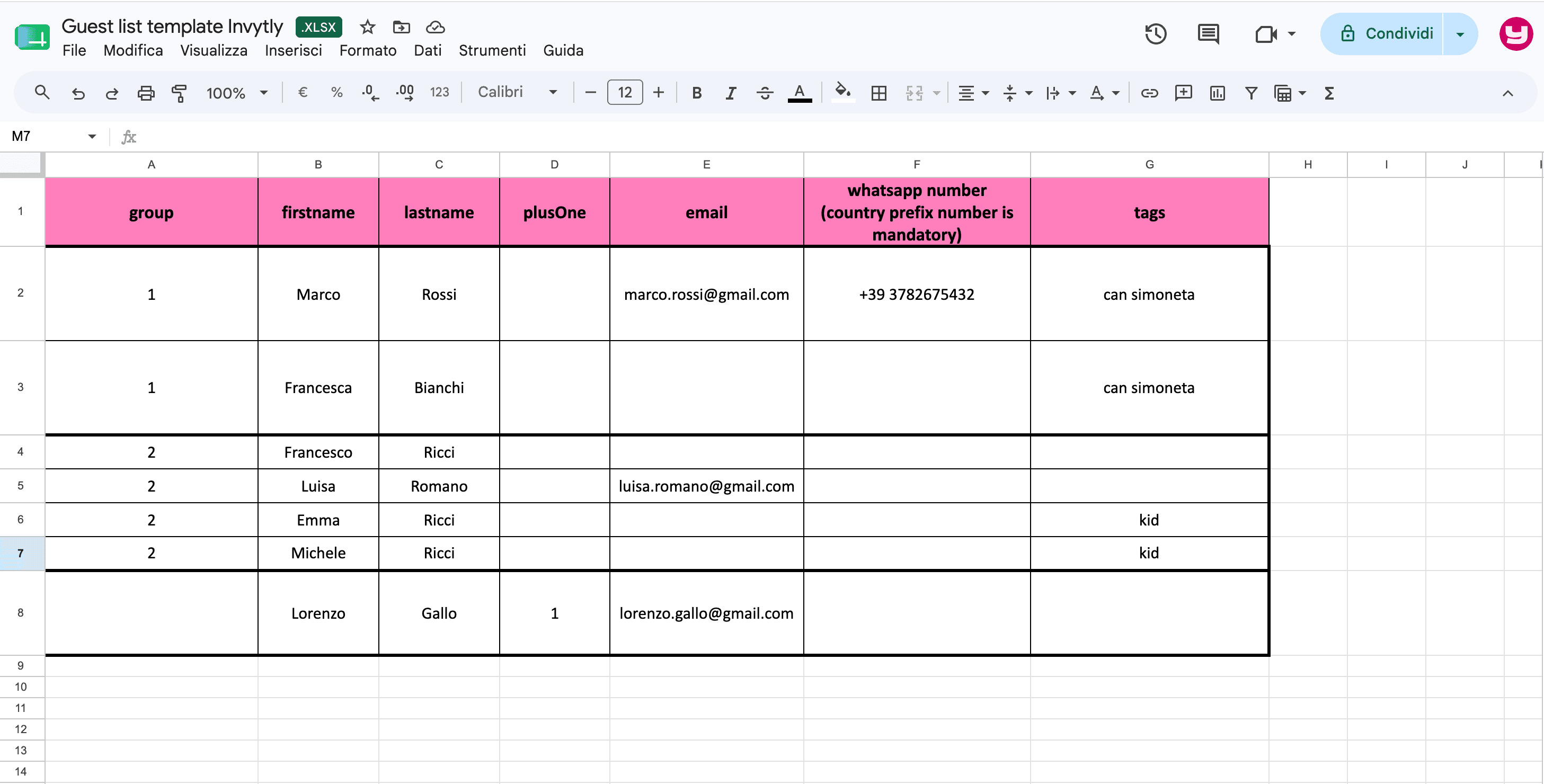
- If the file contains multiple sheets, select the sheet you want to download at the bottom.
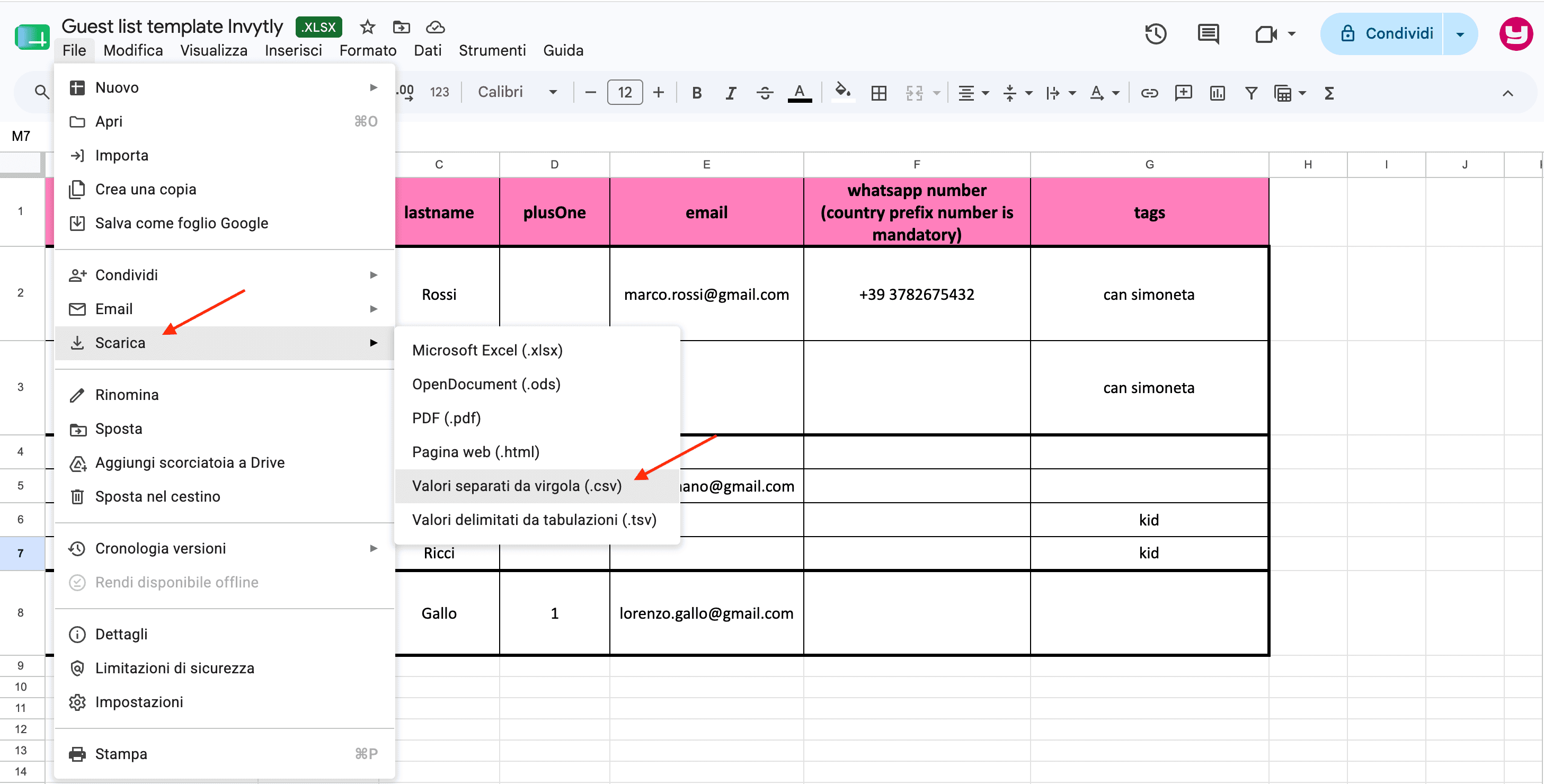
- Click File in the top menu.
- Select Download.
- Click: Comma Separated Values (.csv, current sheet).
- The file will download automatically to your computer, usually into the Downloads folder.
Final check
Before uploading the file to the platform:
- Check that the file name ends in .csv.
- Don't edit the file after exporting it. If you need to make changes, make them in the Excel document and repeat the process from the start.