Maybe the couple has decided to send the invitations by email after all, or you'd like to chase the last replies on WhatsApp. If your project's plan doesn't include what you need, you can move it to a higher plan. This article explains what each plan includes, how to check which plan you're on, and how the upgrade works.
The three plans
Every Invytly project is on one of three plans. Each plan includes everything in the one before it:
| Plan | What it includes |
|---|---|
| Exclusive | Guest list, RSVP page and dashboard. No communications: you share the RSVP link with your guests yourself. |
| Trendy | Everything in Exclusive, plus email communications (Invite, Save the date and Plain text messages) and a custom Email sender name, so guests see your name in their inbox. |
| Glam | Everything in Trendy, plus WhatsApp communications, the option to connect your own WhatsApp number and WhatsApp conversations with your guests. WhatsApp features are currently in beta. |
All plans are priced per guest. You choose the plan together with the number of guests when you create the project, in the "Create a new project" form: the Plan cards show the price per guest of each plan, and Total price is that price multiplied by the Number of guests.
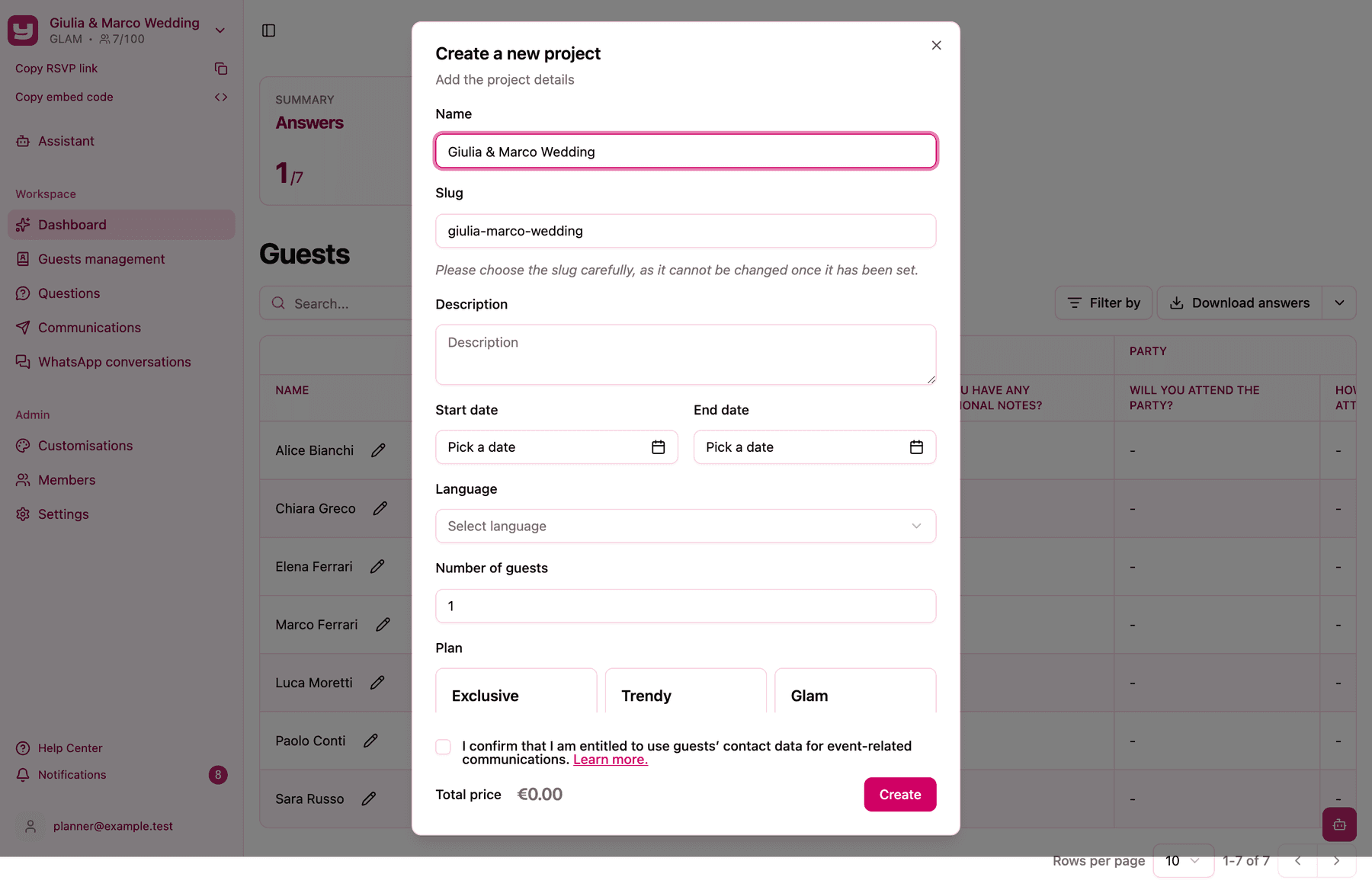
The plan belongs to the project, not to your account: two projects can be on different plans. For the full walkthrough of the form, see Creating your first project.
Check your current plan
You can see your project's plan in two places:
- The project switcher at the top of the sidebar shows the plan name in capitals under the project name (for example
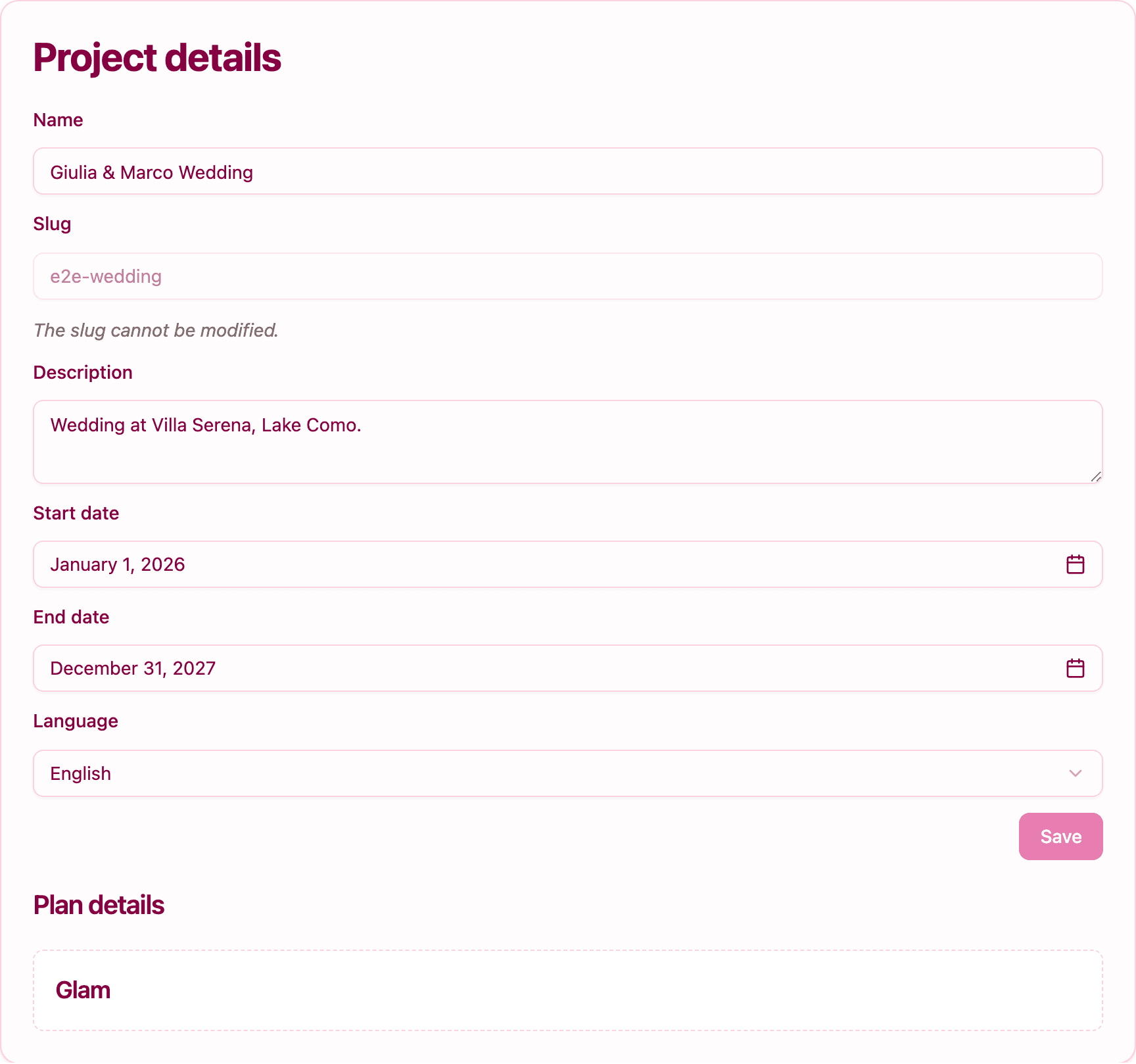
GLAM), next to the guest counter. - Settings, in the Project details card: the Plan details section at the bottom shows the plan name in a dashed box. Settings is available to project Admins.
When a feature is missing because of your plan
Invytly doesn't show locked buttons or upgrade prompts. Features your plan doesn't include simply aren't there. Here's how to recognise it:
- On Exclusive, the Communications item doesn't appear in the sidebar, and the Communication settings card is not shown in Settings.
- On Trendy, you can create email communications, but WhatsApp is not offered in the Channel menu when you create a communication, and the WhatsApp phone number section is missing from Communication settings (only the email configuration is there).
- On Glam, both channels are available and Communication settings shows both the email sender name and the WhatsApp phone number.
If you're an Admin and one of these sections is missing, the plan is the reason. (Vendors and Viewers never see these sections, whatever the plan.)
How to upgrade
Upgrades are handled by the Invytly team: there's no upgrade button in the app. Here's how it works.
- Decide which plan you need. Use the table above: Trendy if email is enough, Glam if you also want WhatsApp.
- Write to Invytly support at support@invytly.com (or to your Invytly contact person) with the name of your project and the plan you want. If you also need more guests, include the new total number of guests in the same email.
- Receive the price and payment details. Invytly confirms the price difference and sends you the payment details. The difference is the gap between the two plans' per-guest prices, multiplied by your project's guest limit. For example, moving a 100-guest project from Trendy (€1.99 per guest) to Glam (€2.99 per guest) costs 100 × €1.00 = €100.
- Wait for the switch. Once the payment is confirmed, Invytly changes the plan on your project, usually within 24 hours of payment confirmation. The new sections appear in the sidebar on their own; you don't need to do anything or create a new project.
Tip: after the upgrade, you can check that it went through in the project switcher or in Settings > Project details > Plan details.
What happens to your data
Nothing changes. Your guests, questions, answers and customisations stay exactly as they are, and your RSVP link keeps working. The upgrade only adds new features on top of what you already have.
What you can do next
Once you're on the new plan:
- to send invitations, save the dates and reminders, see how to send communications by email and, on Glam, on WhatsApp;
- on Trendy or Glam, set up your email sender name, the name your guests will see in their inbox;
- on Glam, you can connect your own WhatsApp number and chat with your guests on WhatsApp.
Good to know
- An upgrade applies to one project only. If you want another project on a higher plan too, mention each project by name.
- Downgrades and refunds are handled case by case: contact support at support@invytly.com to discuss them.
- Need more guests as well? The guest limit is a separate setting, but you can ask for both in one email. See What to do when you need more guests.